
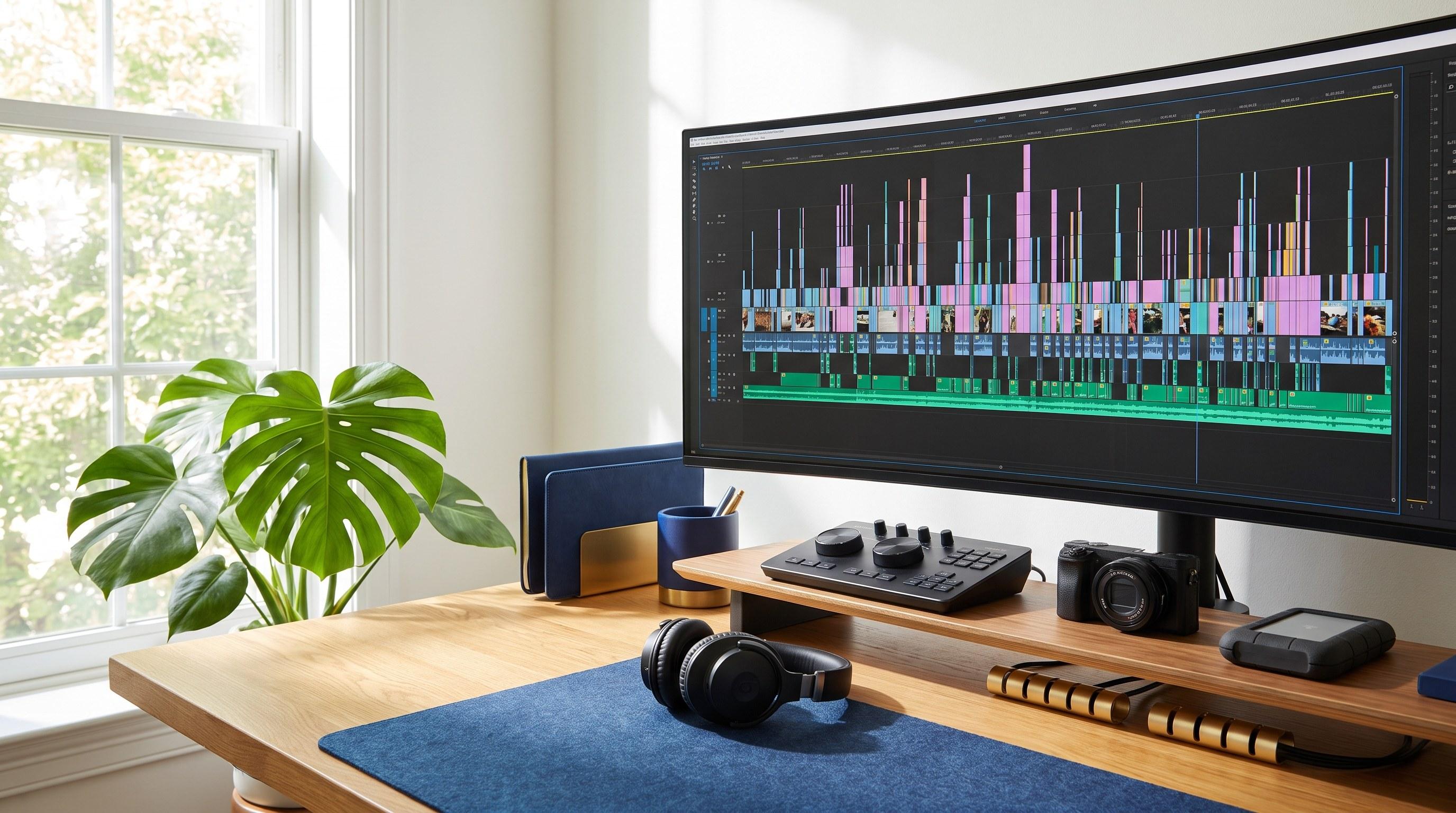
Video Editing Side Hustle: How to Earn $2,000 a Month Part-Time in 2026
A video editing side hustle can realistically pay you $1,500 to $3,000 a month working 10 to 15 hours a week, because every creator and small business posting short-form video needs someone to cut it — and most of them hate doing it themselves.
If you've watched vertical video take over every platform and wondered whether there's money in it for you, there is. This guide covers what editors actually charge in 2026, the software you need (and don't need), how to get your first three clients without a portfolio, and the pricing mistake that quietly caps your income.
Video Editing Side Hustle at a Glance
Most people assume you need film school, a $3,000 computer, and years of practice. You don't. You need one editing style, three sample edits, and a price. Here's the honest picture before you commit a weekend to learning it.
| Question | Short Answer | | --- | --- | | How much can I earn? | $1,500–$3,000/month at 10–15 hours a week once you have 3–4 steady clients | | What do editors charge? | $75–$250 per short-form video; $300–$900 per long-form YouTube edit | | How long until my first client? | 3–6 weeks if you build samples first and pitch consistently | | What software do I need? | CapCut or DaVinci Resolve (both free) to start; Premiere Pro at $23/month later | | What computer do I need? | Any laptop from the last 4 years with 16GB RAM handles short-form fine | | Is it saturated? | The number of editors is up, but so is demand — specialists still get booked |
Quick facts worth knowing before you start:
- Short-form pays better per hour than long-form. A 60-second vertical edit takes 45–90 minutes and pays $75–$250. A 15-minute YouTube video can eat six hours for $400.
- Recurring beats one-off. One client on a "12 videos a month" retainer is worth more than eight scattered one-time projects.
- You don't shoot anything. Clients send you raw footage. You never have to own a camera.
- It stacks well with other income. Like the freelance skills we cover here, editing is project-based and fits around a full-time job.
Why Trust This Guide
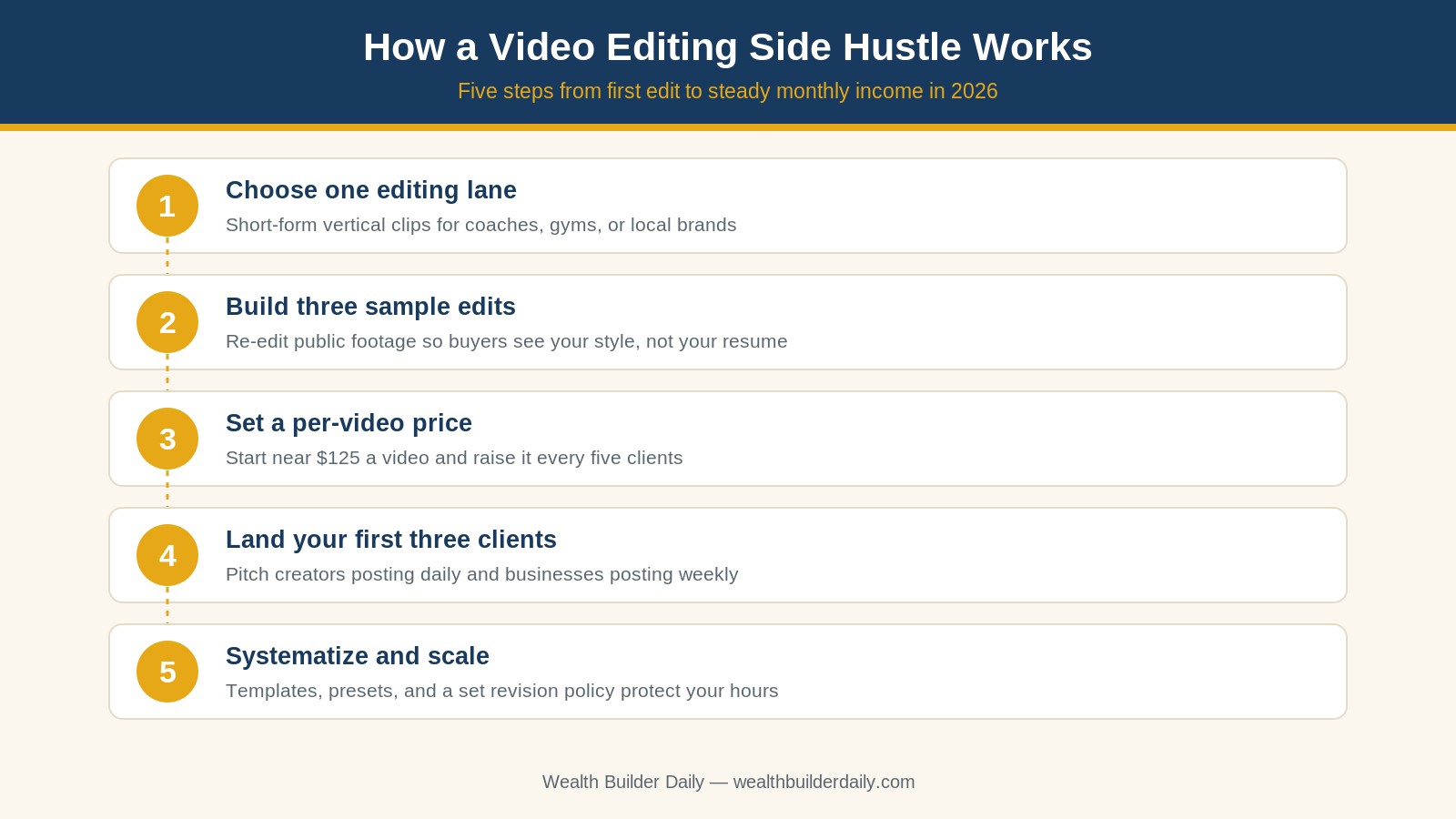
At Wealth Builder Daily, we've spent years helping everyday people turn ordinary skills into real monthly income — and we're careful to publish numbers people can actually hit, not screenshots from someone selling a course. The rates in this guide reflect what working editors quote small businesses and creators, not the $10-per-video race to the bottom on bidding sites. In this guide, we'll walk you through the exact sequence: pick a lane, build three proof pieces, set a per-video price, land your first three clients, then systematize so your hourly rate climbs instead of flatlining.
How a Video Editing Side Hustle Works
The business is simple: a client records footage, hands you the files, and you turn raw clips into something people watch to the end. You get paid per finished video, or on a monthly retainer for a set number of videos.
The reason there's money here in 2026 is a math problem on the client's side. A coach, gym owner, realtor, or e-commerce brand is told to post four to seven short videos a week to stay visible. Filming takes them fifteen minutes. Editing takes them three hours they don't have. Paying you $125 a video to get those hours back is an easy decision — and it's a decision they make over and over, every single month.
Here's what the work actually involves:
- Assembly — cutting dead air, stitching the best takes, tightening pacing so the first three seconds hook.
- Captions — auto-generated then hand-corrected, styled to match the brand. This alone is why many clients hire out.
- B-roll and graphics — dropping in supporting footage, arrows, zooms, and simple text callouts.
- Sound — leveling the voice, ducking music under speech, killing background hum.
- Export and delivery — the correct aspect ratio per platform, delivered to a shared folder on a predictable schedule.
None of that is artistically difficult. It's a craft you can learn in 30 to 40 focused hours, and the part clients pay a premium for is reliability, not genius.
How to Choose the Right Video Editing Niche
The single biggest predictor of whether this works for you isn't talent. It's whether you pick one lane and become the obvious choice inside it. Use these six criteria to decide.
-
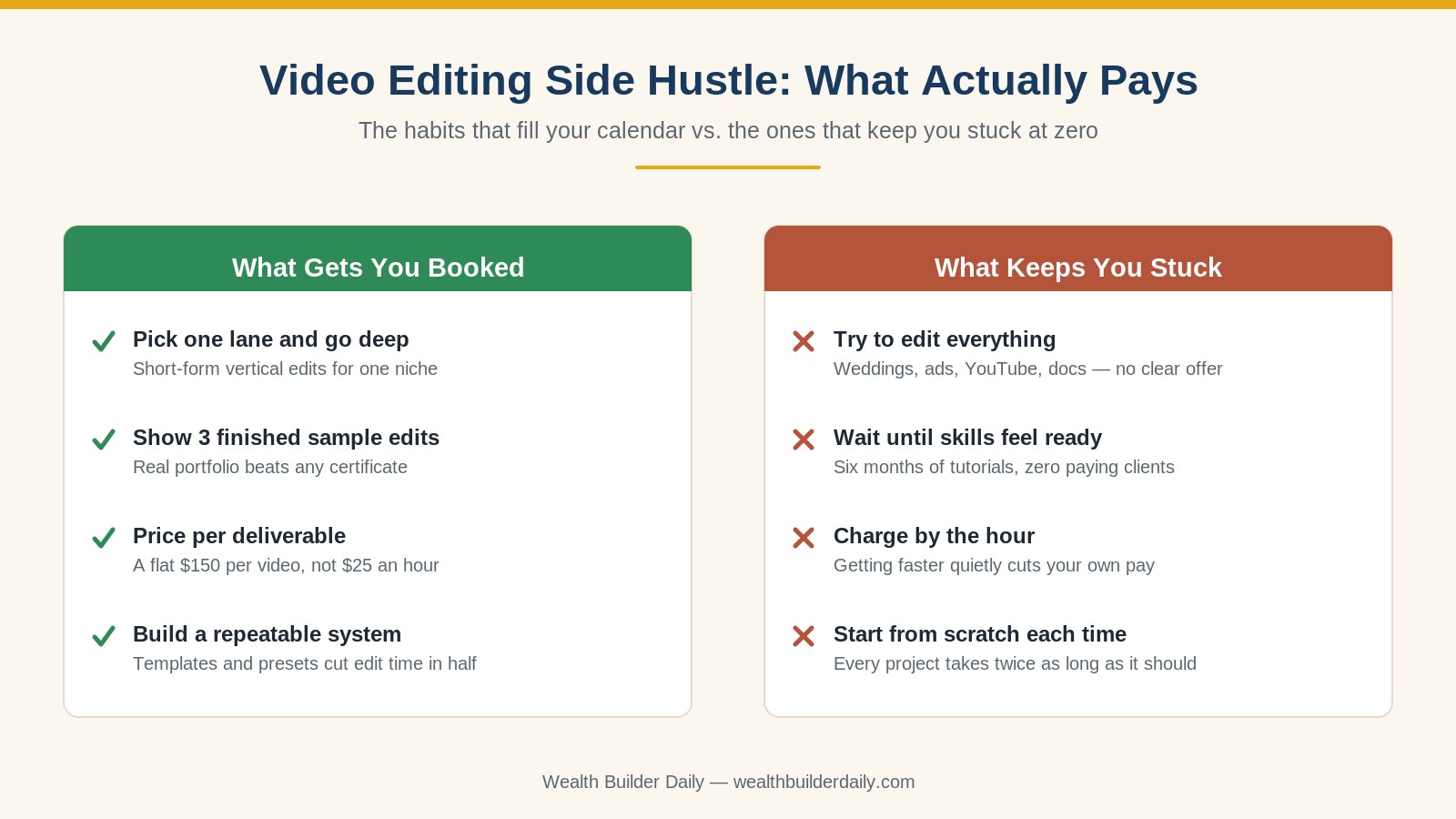
Pick clients who publish on a schedule. A wedding videographer hires you twice a year. A fitness coach posting daily needs you every week. Recurring publishers are the entire game — chase them.
-
Choose a niche you already understand. If you've spent five years in real estate, you know what a listing tour should feel like. That context lets you make edit decisions without a dozen clarifying emails, which is worth more than a slicker transition.
-
Match the format to your available hours. Short-form vertical runs 45–90 minutes per video and fits weeknights. Long-form YouTube and course editing need multi-hour blocks. Be honest about which one your actual week supports.
-
Check that the niche has budget. Local service businesses, online coaches, med spas, gyms, and e-commerce brands pay. Aspiring creators with 400 followers usually can't. Look for people already spending money on marketing.
-
Start with free software and upgrade only when clients demand it. CapCut and DaVinci Resolve are both free and genuinely professional. Don't spend a dollar on software until a paying client requires a specific format.
-
Confirm you can stand the content. You'll watch the same person talk for hundreds of hours. Pick a subject you don't resent.
Expert tip on pricing: price per deliverable, never per hour. At $30 an hour, getting twice as fast cuts your pay in half — you're punished for improving. At a flat $125 per short-form video, your first month might take 90 minutes per edit (about $83 an hour), and by month four you're at 45 minutes for the same $125 (about $167 an hour). Same client, same work, double the effective rate. Bank that gap the way you'd fund an emergency fund — automatically, before it gets spent.
Per-Video Pricing vs. Monthly Retainer
Per-video pricing is the right way to start: it's simple to quote, easy for a client to say yes to, and it lets you test rates fast. But it makes your income lumpy. Once a client has been happy for three or four videos, convert them. A retainer like "16 short-form videos a month for $1,600" locks in revenue, gives you a predictable calendar, and lets you batch the work into two focused sessions instead of scrambling every time a file lands. Aim to convert every client to a retainer by their second month.
Video Editing for Every Situation
Your starting point changes the smart first move. Find yourself below.

- You have zero editing experience. Spend two weekends in CapCut re-editing publicly posted footage from three businesses in your target niche. You now have samples and 20 hours of practice. Do not buy a course first.
- You already edit for fun. You're closer than you think. Your gap is packaging, not skill — build a one-page offer with a price on it and start pitching this week. The same positioning logic applies to virtual assistant work and most service side hustles.
- You want this to replace a job eventually. Build toward retainers from day one and track your effective hourly rate per client. At four retainer clients averaging $1,200 a month you're at $4,800 — but only if your systems keep each video under an hour.
Beginner, Intermediate, and Advanced Setups
Beginner: the laptop you own, CapCut (free), a $30 pair of headphones, and a free shared drive folder for client handoffs. Total cost: $0–$30.
Intermediate: DaVinci Resolve or Premiere Pro ($23/month), a 2TB external drive ($90), a second monitor ($130), and a simple review folder for revisions. Total: about $250 up front.
Advanced: add caption automation, saved title and transition templates, a stock footage subscription (about $30/month), and a scheduling tool so clients book edit slots without emailing you. At this stage you may also hand first-pass assembly to another editor at $30 a video while you handle polish and client relationships.
Personalizing Your Approach in 2026
Two shifts matter this year. First, AI tools now handle the tedious 20% — auto-captioning, silence removal, rough cuts — which means clients won't pay a premium for those tasks alone, but they will pay for taste, pacing, and consistency. Use the tools to cut your time per video, then keep the pricing. Second, clients increasingly want one editor who understands their whole content system rather than a marketplace bidder. Show up as a partner who knows their audience and you'll rarely compete on price. And treat this like a business from the start: set aside 25–30% of every payment for self-employment taxes, and once you have three steady months, put the surplus to work in a Roth IRA.
Frequently Asked Questions
Do I need an expensive computer to edit video?
Not for short-form. Any laptop from the last four years with 16GB of RAM handles vertical clips under two minutes comfortably. You'll notice slowdowns on long-form 4K projects, but that's a problem to solve with client money later. Start with what you own, edit in a lower-resolution proxy if needed, and upgrade only when a paying project actually demands it.
How do I get my first client with no portfolio?
Build the portfolio yourself. Pick three businesses in your target niche, download footage they've already posted publicly, and re-edit it the way you'd do it. Send the before-and-after directly to those businesses with a price attached. Buyers care what your work looks like, not who paid for it. Most editors land a first client within three to six weeks this way.
Is video editing still worth it with AI tools doing so much?
Yes, but the job has shifted. AI handles captions, silence removal, and rough assembly well, which removes the low-skill floor. What clients still pay for is judgment — which take to use, where to cut, how a brand should feel. Editors who use AI to work faster while keeping flat per-video pricing are earning more per hour in 2026, not less.
Final Thoughts
A video editing side hustle earns real money because it solves a problem business owners face every single week, forever. You're not chasing a trend — you're selling back hours to people who have already decided that posting video is non-negotiable. Pick one lane, build three sample edits this month, quote per video instead of per hour, and convert happy clients to retainers. That's the whole path from zero to $2,000 a month.
- Plain-language guidance — no jargon, no gatekeeping, and no assumption you already know the industry.
- Real numbers and examples — actual rates, actual software costs, actual timelines, so you can plan honestly.
- Proven, time-tested methods — the same build-samples-then-pitch sequence working freelancers have used for decades, adapted for 2026.
- Free practical tools and guides — every strategy here is free to read and free to start, because we'd rather you spend your money building income than buying courses.
Your first paid edit is closer than it feels — most people are one weekend of practice and three honest pitches away from it. Start there this week, then keep building with the rest of our side income and money guides. And as your freelance income grows, get familiar with the self-employment money basics at the Consumer Financial Protection Bureau so the money you earn stays money you keep.
The Newsletter
Get the Free Budget Tracker
Join our weekly newsletter. Practical money guides, no fluff. Unsubscribe anytime.